Public Try-Ons: Turn Instagram Comments Into Virtual Fitting Rooms | TryOnSmart
Social Commerce

Turn Your Social Posts Into a Fitting Room

Your followers comment 'TryOn' on any product post - they instantly get 4 AI photos of themselves wearing your products. Watch your engagement explode.


47x More Comments
3.2x Higher Reach
28% Comment-to-Purchase
YB
yourbrand
Product
yourbrand New arrivals! Comment 'TryOn' and get 4 photos of YOU wearing this dress for FREE
emma_style TryOn
fashionlover22 TryOn please!
sarah.k TryOn
mia_designs omg yes TryOn
jess.online TryOn!!
lucia_rd TryOn
View all 89 comments
Your try-on photos are ready!
4 looks generated for emma_style

See It In Action

From a single social post to a completed purchase - the full journey, step by step

For You - The Seller
01

Post Your Product. Add the Trigger.

Post your product photo on Instagram or Facebook as usual. In the caption, invite your followers: "Comment TryOn to see yourself wearing this - we'll send you the link." That's your entire setup.
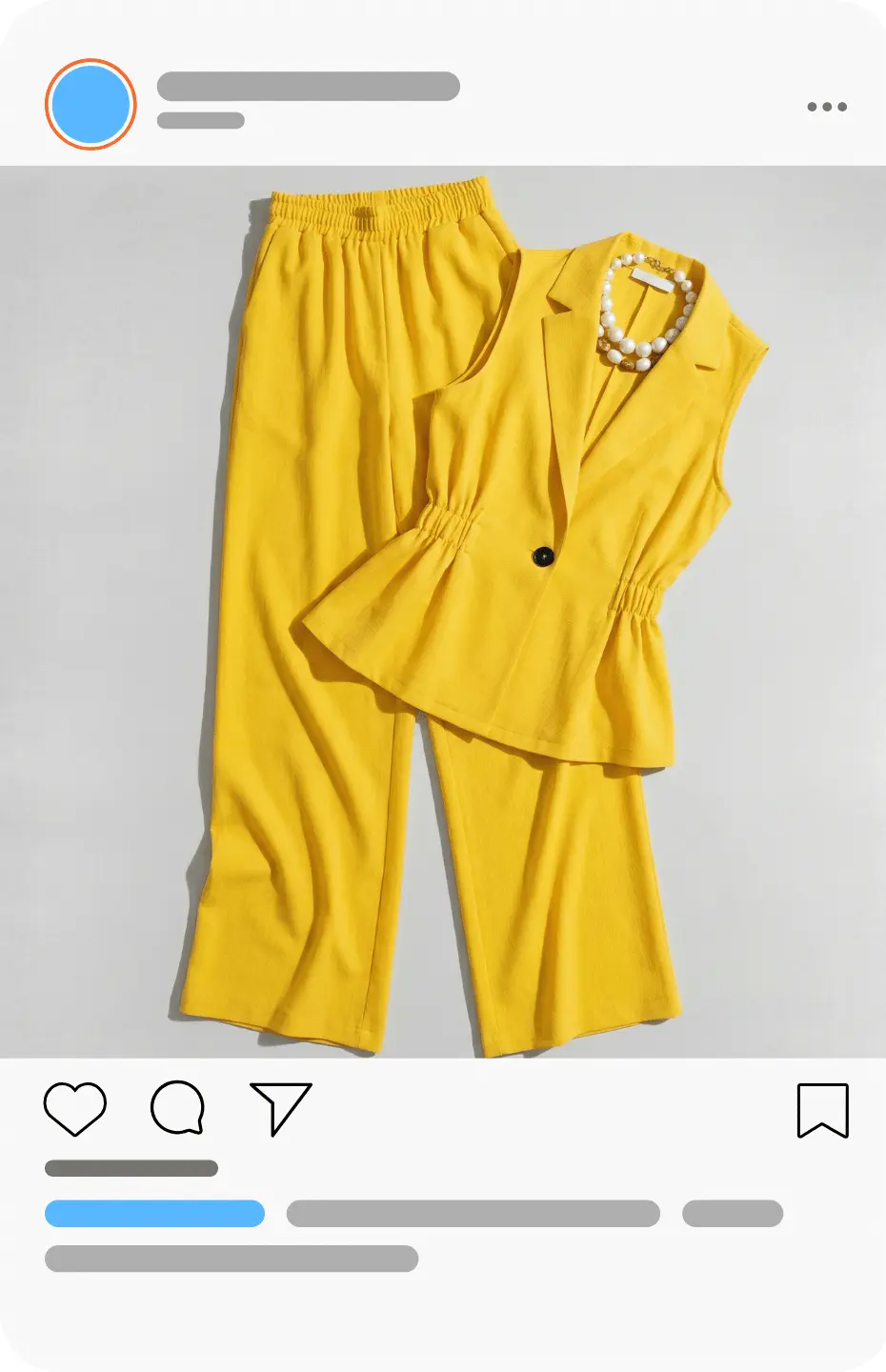
Post your product on Instagram with TryOn trigger in the caption
02

They Comment. You Send Them the Link.

Reply manually or connect any autoresponder - every commenter gets a direct link to the product's try-on page. Set it up once. Every commenter gets it instantly.

See what your customers will experience
Seller sends try-on link via DM to commenter
For Your Customer
03

They Open the Link. Your Product Awaits.

The link lands them on a clean try-on page showing your product. No app download, no account required. One clear invitation: upload your photo to see yourself in this outfit.

Product try-on page
04

One Selfie. That's All It Takes.

They upload a single face photo - no special lighting, no poses needed. Our AI handles everything from there. Processing starts immediately.
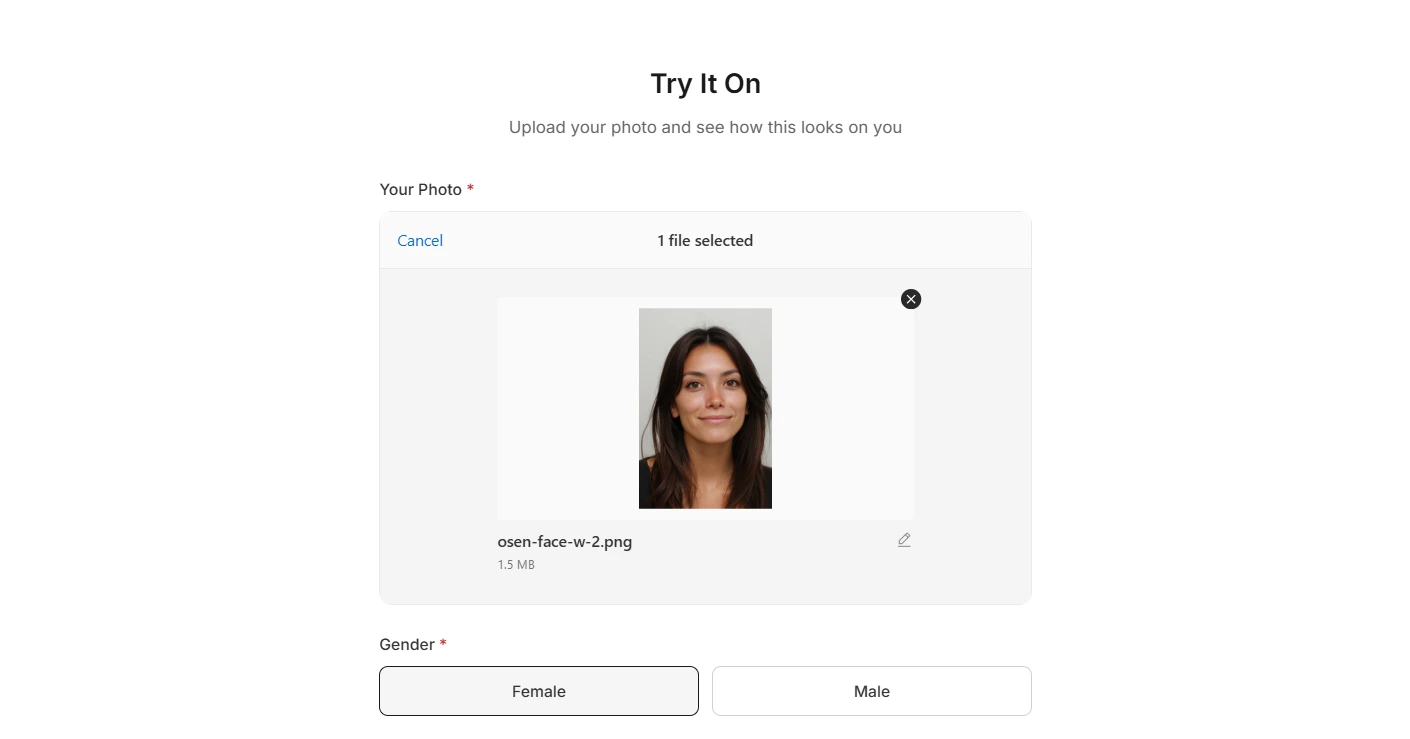
Upload selfie step
05

They See Themselves. They Hit Buy Now.

4 photos of them wearing your outfit - ready in seconds. They're no longer imagining. They're already convinced. One tap on the Buy Now button takes them straight to your store, ready to purchase.

Try-on results with Buy Now button
06

They Share. Their Friends Discover You.

People love showing off how they look. When customers share their try-on photos on their own social media, their followers see your product - worn by someone they trust. New eyes land on your post, new comments flood in, and the cycle starts again.

Customer sharing try-on result on social media
Back in Your Dashboard
07

Track Every Try-On. Know What Works.

Your seller dashboard shows you everything - try-ons per post, which products generate the most interest, and conversion data. No guesswork. Just clear numbers that tell you where to double down.

Seller analytics dashboard
08

Customers Come Back. Their History Is Saved.

Every customer gets their own dashboard with all their try-ons saved. They revisit, share with friends, and buy later. Each saved try-on is a future sale waiting to happen.

Customer try-on history dashboard

Same Product. Different Strategy.

The numbers speak for themselves

Regular Product Post

Likes 45
Comments 8
Saves 3
Link Clicks 12
DMs About Product 1
Scroll past. Forget.
With Public Try-On

Public Try-On Post

Likes 890 20x
Comments 340+ 42x
Saves 120+ 40x
Link Clicks 890+ 74x
DMs About Product Automated
Stop. Comment. Buy.

The Science Behind the Conversion

Three thoughts your customer has - and how Public Try-On flips each one

What they think
With Public Try-On

"Would this even look good on me?"

"I already look great in this."

I See ME In It

Not a model, not a mannequin - their own face. The question answers itself before they even reach checkout.

"I'll think about it later."

"I already commented. Let me just check it out."

The Commitment Effect

One comment creates psychological follow-through. Commenters convert at far higher rates than passive scrollers.

"Probably not for me."

"89 people commented. What am I missing?"

Social FOMO

The comment count becomes social proof. The crowd becomes your best salesperson - and they work for free.

Your Next Campaign, Reimagined

Four ways brands are using Public Try-Ons to drive real revenue

New Collection Drop

Post your hero piece. 300+ people see themselves in it before you've spent a dollar on ads. Your launch day becomes a community event, not just another post.

Weekend Flash Sale

"Comment TryOn + get 15% off." Every commenter is a warm lead with their contact. No cold outreach — they came to you.

Influencer Collab

Your influencer posts wearing your outfit. Their followers comment TryOn to see themselves in the same look. Their audience becomes yours — organically.

Seasonal Campaign

Summer collection launch: one post, 500 try-ons, 140 purchases. No photographer, no models, no studio. Just your product and your audience.

Your Competitors Are Still Posting Flat-Lays

You'll be generating hundreds of personalized try-ons from a single post.

47x Engagement
3.2x Reach
28% Conversion

No credit card required. 40 free generations included.

Frequently Asked Questions

Everything you need to know about our AI virtual try-on technology

How does Public Try-On work?
A seller posts a product photo and adds a trigger word (e.g., "TryOn") to the caption. When a follower comments that word, they receive a link to the try-on page where they upload their photo and get 4 AI-generated images of themselves wearing the outfit.
Does the customer need to download an app?
No. The try-on page opens in any browser - no app, no account required.
How does the seller send the try-on link to commenters?
You can reply manually or use any autoresponder tool you already work with. The try-on link is the same for all commenters on that post.
What kind of photo does the customer upload?
A single face selfie - no special lighting or poses needed. The AI handles the rest.
How many try-on photos does the customer get?
Each try-on generates 4 photos. Customers can try on the same product up to 2 times and try up to 5 different products per day.
Can customers buy directly from the try-on page?
Yes. For each product, you set a Buy Now link pointing to wherever you sell - your Shopify store, WooCommerce, a WhatsApp chat, any link. When the customer clicks it on the try-on results page, they go straight there, ready to purchase.
What happens to the try-on results?
Customers get their own dashboard where all their try-ons are saved. They can revisit, share with friends, or buy later.
How many free try-ons are included?
10 Free Try-Ons per month on the Free Pricing Plan
How many try-on photos does the customer get? / Will my generation credits run out?
Each try-on generates 4 photos. Customers can try on the same product up to 2 times and try up to 5 different products per day. On top of that, TryOnSmart automatically throttles request volume so no single post can drain your monthly credits - your limits are protected even on viral posts.